
Your preferred assistance method — we are here for you
There's currently a bug with our installer. Please download and run the Visual C++ Redistributable before opening the Verse installer.
Run vc_redist.x64.exe and follow the installation, then open the Verse installer.
Valorant requires Windows 11 25H2. This is an absolute requirement for the current Vanguard bypass — there is no workaround, and support cannot make exceptions. If for any reason you do not want to be on Windows 11 25H2, please request a refund now before continuing with any of the steps below.
Select the anti-cheat system for your game
Select your main game to get personalized instructions
On this same PC
Check your motherboard specifications
This determines your spoofing method
This determines your reinstallation method
Analyzing your configuration...
To check if your Intel system supports RAID for disk serial spoofing, please download and run our compatibility checker tool.
After running the tool, select your result:
If you can't locate the correct file system containing your .der and .efi files, try selecting each available file system option one by one until you find the one with your certificate files.
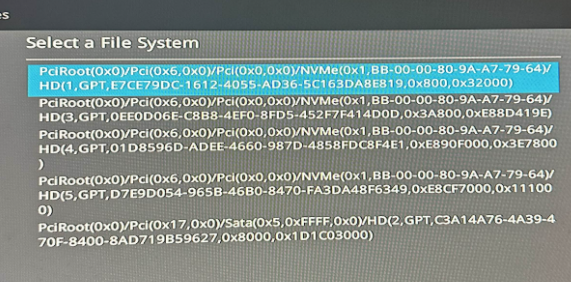
Cycle through each file system option until you locate the partition containing your {random}.der and {random}.efi files. If you cannot figure it out, here is a video guide you can watch.